
Selling a course one seat at a time leaves money on the table. The biggest orders come from organizations that need to train whole teams — and they expect to buy in bulk and manage their own people. Uncanny Groups makes that possible, turning your LearnDash site into a B2B course storefront.
The opportunity
A single corporate sale can be worth dozens or hundreds of individual enrollments. But businesses won’t buy if it means emailing you a spreadsheet of names every time someone joins or leaves. They want to:
- Buy a block of seats in one transaction.
- Add and remove their own employees on demand.
- See who has finished training — without asking you.
Uncanny Groups delivers exactly this experience, so you can close bigger deals and spend less time on manual account admin.
What the buyer experience looks like
- A company finds your course and chooses how many seats it needs.
- They check out through WooCommerce like any other product — including volume discounts you set.
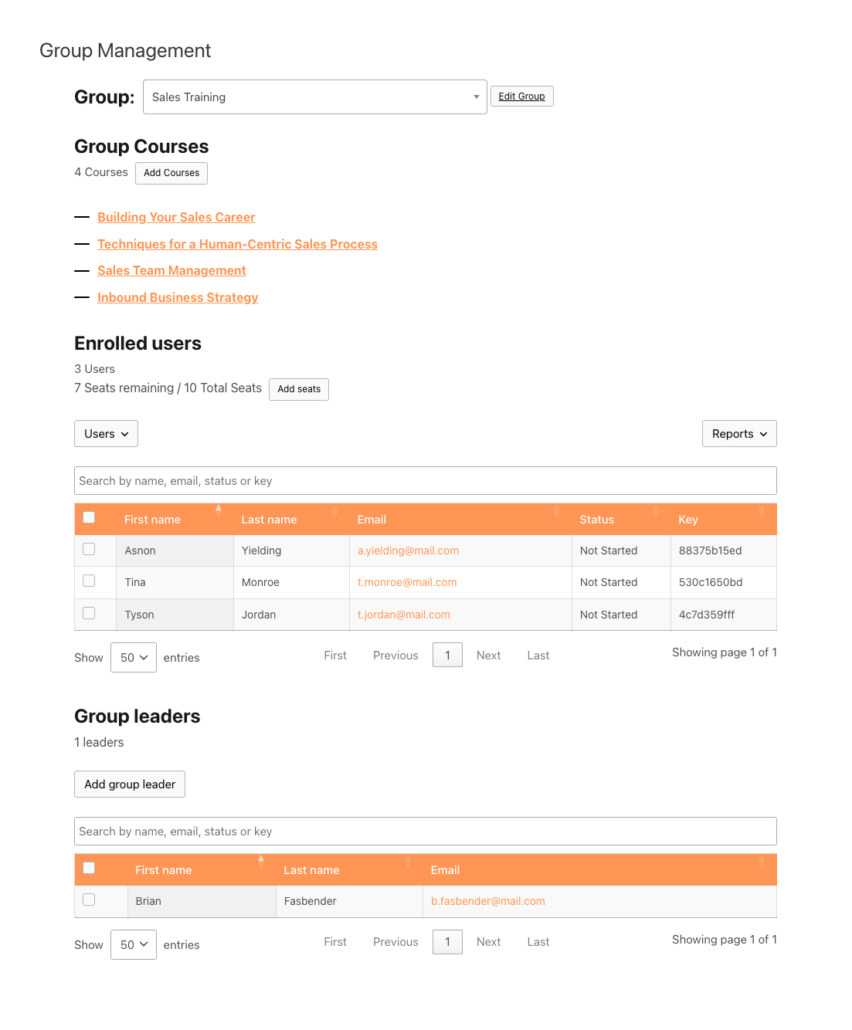
- They instantly become a Group Leader with a front-end management page.
- They invite their team by email, enrollment key, or CSV upload — no help from you.
- They track completion in built-in reports and add more seats whenever they grow.
Two ways to sell
You can offer either model — or both — depending on how much choice you want buyers to have.
| Model | Best for | How it works |
|---|---|---|
| Pre-configured licenses | A fixed catalog of team packages (e.g. “Compliance Training – 50 seats”) | You define the course bundle and seat count; the buyer simply purchases it. |
| Custom licenses | Buyers who want to pick their own courses and seat counts | The buyer builds their own package on a Buy Courses page and checks out. |
See Create Pre-configured LearnDash Group Licenses and Enable Users to Build Custom Group Licenses.
Close bigger deals with volume pricing
Businesses expect a better per-seat price as the order grows. With Uncanny Groups you can set bulk discount tiers — for example, 10% off at 25 seats and 20% off at 100 — to nudge buyers toward larger purchases. See Configure Bulk Discounts.
Let accounts grow without friction
Organizations rarely buy the perfect number of seats up front. When they need more, Group Leaders can add seats and courses to an existing license themselves, so expansion revenue flows in without a support ticket. Please note that additional courses cannot be added to subscription-based group licenses. See Add Seats and Courses after Group Purchase.
Why this wins
- Bigger average order value — sell 50 seats, not 1.
- Near-zero admin overhead — customers manage their own people.
- Recurring revenue — pair licenses with WooCommerce Subscriptions for renewing seats.
- A professional buyer experience that competes with dedicated corporate-LMS platforms, on your own site.
How to set it up
- Install Uncanny Groups and the official LearnDash WooCommerce integration — see Getting Started.
- Set up your LearnDash Group Course products.
- Choose your selling model: pre-configured or custom licenses.
- Configure bulk discounts to reward larger orders.
- Point buyers to a Buy Courses page and start selling.
Related Articles
- Sell LearnDash Group Access to Learners
- Adding Seats after Subscription-based Group Purchase
- Onboard & Train Your Team with LearnDash Groups