
Overview
Uncanny Codes integrates with several popular WordPress form plugins so that users can redeem a code during registration. This is the most common setup: a new user visits your registration form, enters a code alongside their account details, and upon submission they are both registered and enrolled in the course or group linked to that code.
This article explains the shared setup concepts that apply to all form plugins, then walks through the specific configuration for each supported plugin.
How Form-Based Redemption Works
Regardless of which form plugin you use, the process follows the same pattern:
- You create a registration form using your form plugin.
- You add an Uncanny Code field to the form.
- When the form is submitted, Uncanny Codes validates the code, registers the user (via the form plugin’s user registration feature), and enrolls them in the associated courses or groups.
The code field is validated before the form submission completes. If the code is invalid, expired, or already used, the user sees an error and the form is not submitted.
Before You Start
These prerequisites apply to all form plugin integrations:
- Uncanny Redemption Codes must be installed and activated with a valid license.
- Your form plugin must be installed and configured for user registration (not just contact forms). Most form plugins offer user registration as an add-on or built-in feature.
- You need at least one code batch already generated. See Generating or Adding New Codes.
- If your form plugin supports User Activation (email verification), be aware that the code will not be redeemed until the user completes the activation step. This is by design — it prevents codes from being consumed by abandoned registrations.
Gravity Forms
Requirements: Gravity Forms + User Registration Add-on
Setup
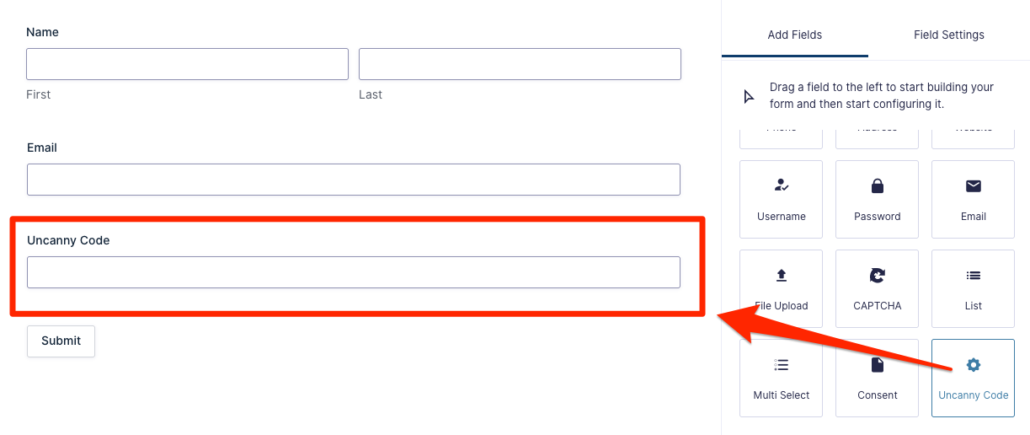
- Create a new form in Gravity Forms or edit an existing registration form.
- In the form editor, look for the Uncanny Code field under the Advanced Fields section. Drag it into your form.
- Configure the User Registration feed to create a new user on form submission. See the Gravity Forms User Registration documentation for details.
- Publish the form on a page using the Gravity Forms block or shortcode.
Notes
- If User Activation is enabled in your User Registration feed settings, the code will not be redeemed until the user clicks the activation link in their email.
- As of Uncanny Codes v5.0, code redemption with Gravity Forms uses the
gf_pre_handle_confirmationhook for improved reliability.
Optional Settings
Navigate to Uncanny Codes > Settings and select your Gravity Forms registration form from the drop-down. This enables optional label customization for the code field.
WPForms
Requirements: WPForms + User Registration addon
Setup
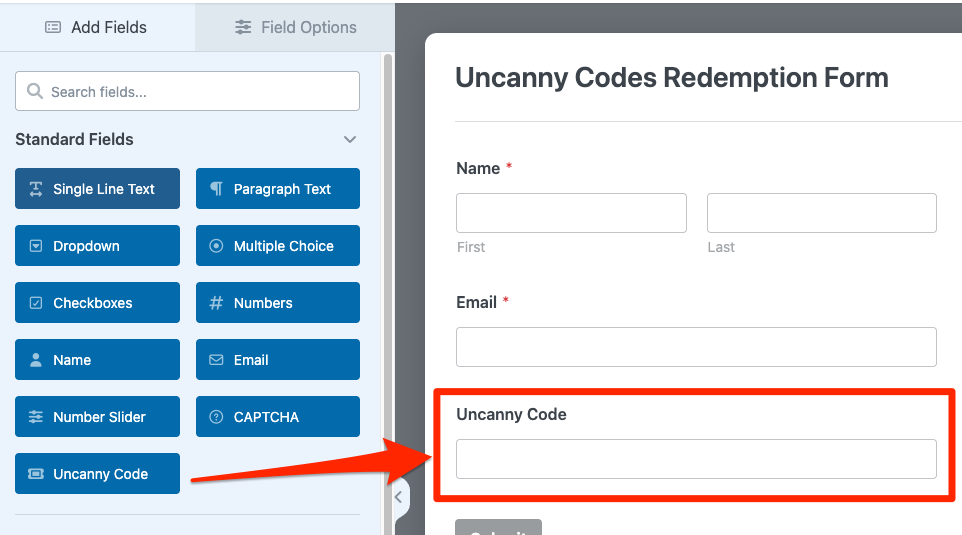
- Create a new form or edit an existing registration form in WPForms.
- In the form builder, look for the Uncanny Code field under the Standard Fields section. Add it to your form.
- Configure the User Registration settings for the form. See the WPForms User Registration documentation for details.
- Embed the form on a page using the WPForms block or shortcode.
Notes
- WPForms Lite does not support user registration. You need WPForms Pro or higher with the User Registration addon installed.
Formidable Forms
Requirements: Formidable Forms + User Registration addon
Setup
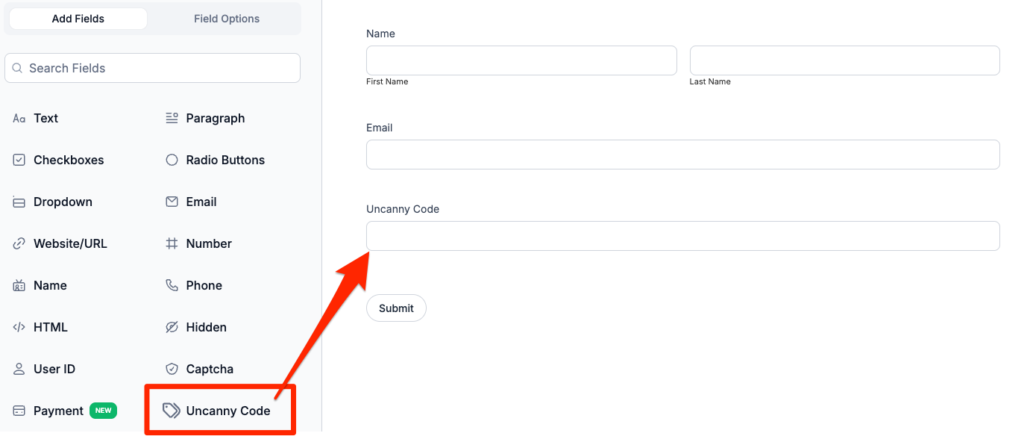
- Create a new form or edit an existing registration form in Formidable Forms.
- In the form builder, find the Uncanny Code field and add it to your form.
- Configure the User Registration action for the form. See the Formidable Forms User Registration documentation for setup details.
- Add the form to a page using the Formidable shortcode or block.
Built-In Registration Form
Uncanny Codes includes a built-in registration shortcode that doesn’t require a third-party form plugin. This is the simplest option if you don’t already use a form builder.
Requirements: None — this is included with Uncanny Codes.
Setup
- Add the registration shortcode to any page:
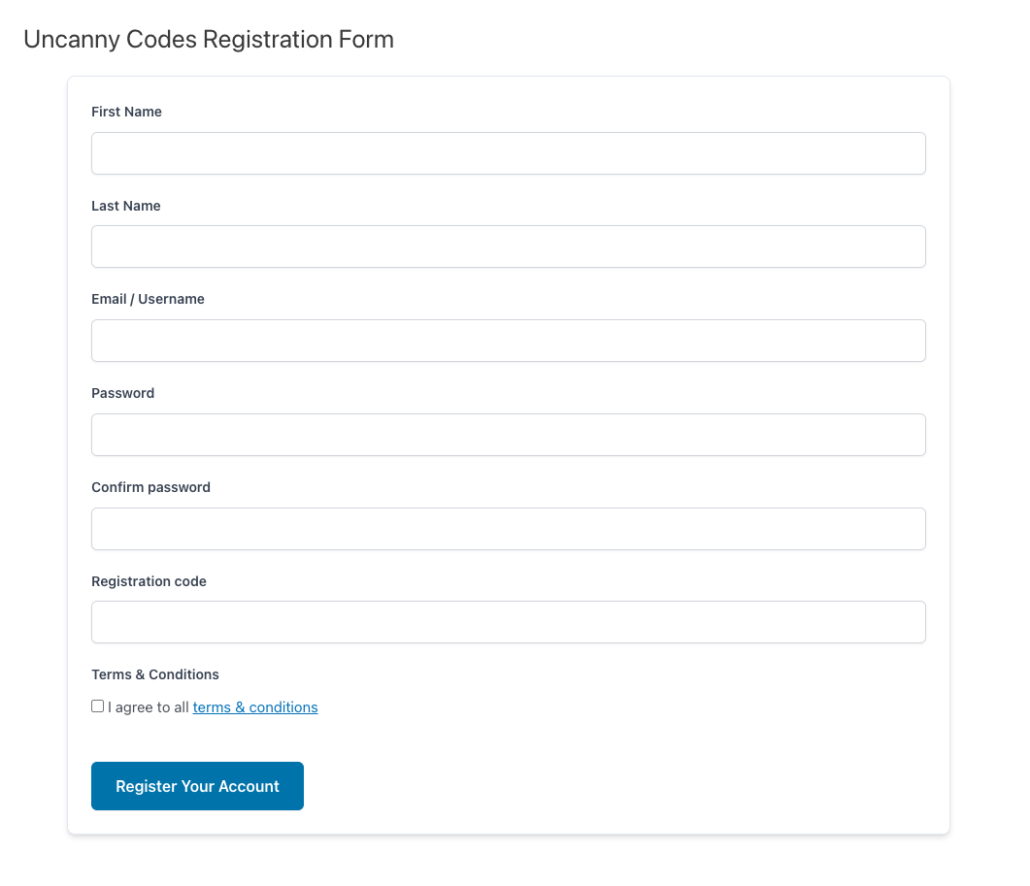
[uo_code_registration]Block name: Code Registration Form - The form includes fields for username, email, password, and the code field.
- Optionally configure Terms & Conditions under Uncanny Codes > Settings. If text is entered in the Terms & Conditions field, a checkbox will appear on the registration form requiring users to accept before they can register.
Notes
- This shortcode creates a full registration form. It is intended for new users who do not yet have accounts.
- For existing logged-in users who need to redeem codes, use the Standalone Code Redemption shortcode instead.
Theme My Login
Requirements: Theme My Login plugin
Setup
- Install and activate the Theme My Login plugin.
- Uncanny Codes automatically adds a code field to the Theme My Login registration form when both plugins are active.
- No additional configuration is needed — the code field will appear on the registration form.
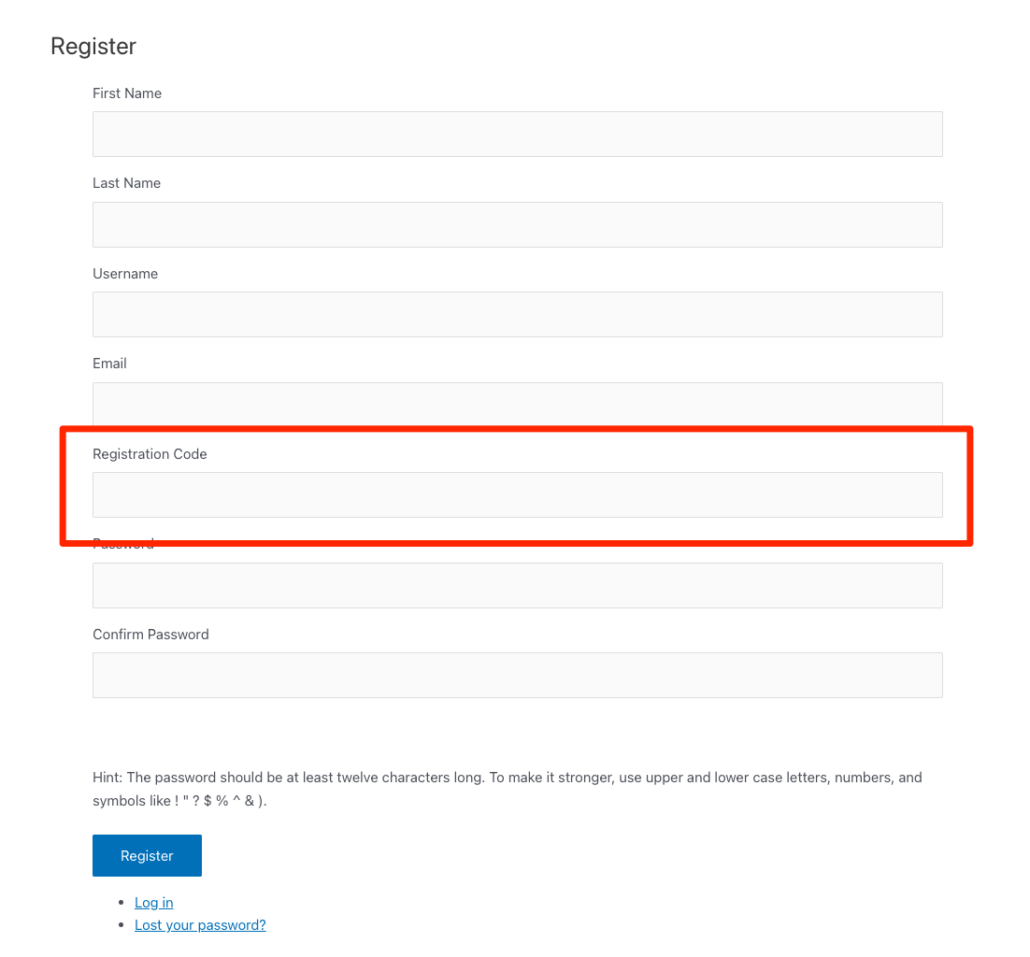
Notes
- Theme My Login replaces the default WordPress login and registration pages with theme-integrated versions. The Uncanny Code field integrates into these custom forms automatically.
- Make sure Theme My Login’s registration page is accessible and that user registration is enabled in Settings > General in WordPress.
Which Form Plugin Should I Use?
If you’re not sure which form plugin to use for code redemption, here’s a quick guide:
| Option | Best For | Cost |
|---|---|---|
| Built-In Registration | Simple setups with no existing form plugin; quick deployment | Free (included with Uncanny Codes) |
| Gravity Forms | Sites already using Gravity Forms; complex forms with conditional logic | Paid (requires GF + User Registration addon) |
| WPForms | Sites already using WPForms; user-friendly form builder | Paid (requires WPForms Pro + User Registration addon) |
| Formidable Forms | Sites already using Formidable; advanced form features | Paid (requires Formidable + User Registration addon) |
| Theme My Login | Sites using Theme My Login for custom login/registration pages | Free plugin |
If you only need code redemption for existing users (not new registrations), skip all of the above and use the Standalone Code Redemption shortcode instead.
Related Articles
- Getting Started with Uncanny Codes
- Standalone Code Redemption — For existing users to redeem codes without registration
- Set up Uncanny Redemption Codes for WordPress — Plugin installation and settings
- Generating or Adding New Codes — Create code batches
- Troubleshooting & FAQ — Common issues and solutions