
Overview
“Earn 3 CPD credits” is a powerful reason to buy a course. When your courses count toward a license or designation, the credits are the product. Uncanny CEUs lets you advertise accredited credit on every course and award it automatically after purchase — turning continuing education into a revenue stream.
Selling continuing education means combining three things:
- A way to sell course access — WooCommerce, redemption codes, or memberships.
- Credits that are awarded on completion — handled by Uncanny CEUs.
- Proof of credit — certificates and transcripts learners can submit to their board.
Uncanny CEUs supplies the credit layer and works alongside the Uncanny tools you already use to sell and deliver courses.
Why Credits Sell Courses
- Credits are the value proposition. Professionals shop for courses by the credits they award. Displaying the credit value upfront answers their main question before they buy.
- Automatic delivery. Credits are awarded on completion with no manual step — the learner buys, learns, and earns.
- Trust through certificates. An automatic certificate gives buyers confidence the course truly counts toward their requirement.
- Repeat business. Professionals come back every renewal cycle. A clear credit transcript keeps them returning to you for their next credits.
Building the Offer
Step 1: Assign and Advertise the Credit Value
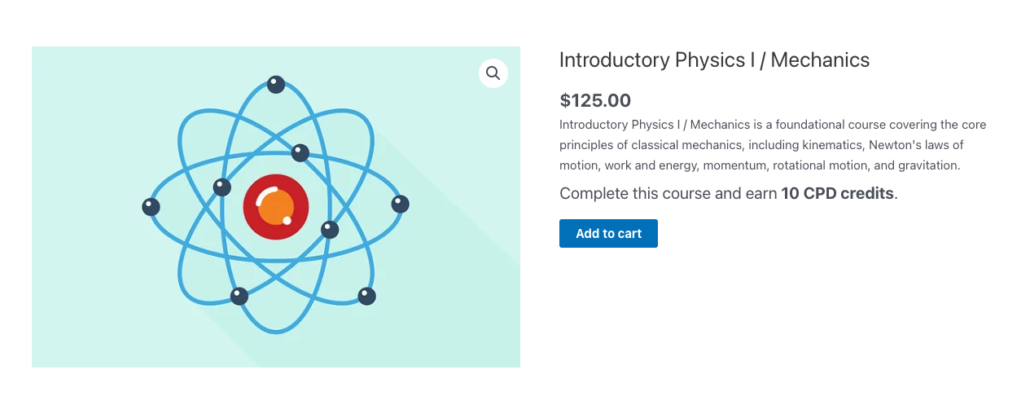
Set each course’s credit value on its edit screen (see Adding Credits to Courses). Then advertise it on the sales page using the available-credits shortcode or block, so shoppers see exactly what they’ll earn:
[uo_ceu_available course-id="123"]Place it near the price and the buy button — e.g., “Complete this course and earn [uo_ceu_available] CPD credits.”
Step 2: Sell Course Access
Use whichever Uncanny tool fits your sales model:
- WooCommerce — Sell courses or bundles as products. On purchase, the learner is enrolled and earns credits automatically on completion.
- Redemption codes — Sell or distribute access codes for individual and bulk purchases with Uncanny Codes. Ideal for selling seats to an employer who then distributes them to staff.
- Group licenses — Sell access to organizations with Uncanny Groups for LearnDash, where a buyer purchases a block of seats and manages their own learners.
Uncanny CEUs sits underneath all of these — however the learner gets access, completing the course awards the credits.
Step 3: Deliver Certificates Automatically
Configure a certificate to issue when the learner completes the course or reaches a credit milestone, and have it emailed to them. This is what buyers submit to their licensing board as proof. See Continuing Education Certificates.
Step 4: Give Buyers a Lasting Transcript
Add a credit report or transcript shortcodes to the account/dashboard area so returning customers can always see the credits they’ve purchased and earned with you. See Continuing Education Report.
Selling to Employers and Organizations
A large share of continuing education is bought by employers for their teams. To serve that market:
- Sell bulk seats via Uncanny Codes or group licenses via Uncanny Groups for LearnDash.
- Make the purchasing manager a group leader so they can enroll staff and run the front-end Continuing Education Report to track their team’s credits.
- For larger organizations with a hierarchy, enable the child groups option so a head-office report rolls up every sub-group. See Continuing Education Admin Reports.
This combination lets you sell one license to an organization and hand them a self-service portal for enrollment and credit tracking.
Automating the Buyer Journey
Uncanny CEUs integrates with Uncanny Automator so you can build the credit milestones into a larger automation. The Uncanny CEUs integration includes two triggers and an action:
- A trigger for when a user earns a number of CEUs — fires each time a learner earns credits.
- A trigger for when the total number of CEUs earned by a user is greater than or equal to a specific number — use it to send a congratulations email, issue a coupon for the next course, add a badge, or notify a CRM when a buyer hits a credit milestone.
- An action that awards a number of custom CEUs to the user — use it to grant credits as part of a recipe, such as after a purchase or an event registration.
See the Uncanny Continuing Education Credits integration for available triggers and actions.
Related Articles
- Continuing Education Certificates — Proof of credit for buyers
- Use Case: Continuing Education for Professional Associations — Run a full CE program
- Uncanny Codes — Sell and distribute course access codes
- Uncanny Groups for LearnDash — Sell group licenses with leader-managed reporting
- Getting Started with Uncanny Continuing Education Credits — Choose the right workflow