The Uncanny Blog

The latest news and best practices for the most popular eLearning and LearnDash plugins

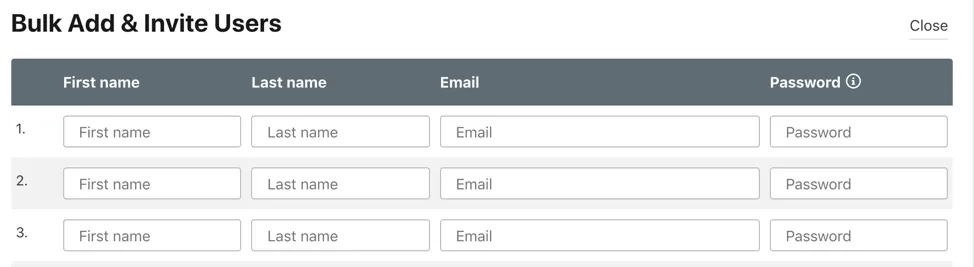
Bulk Add & Invite Users form: a multi-row table with fields for First name, Last name, Email, and Password; three empty input rows and a Close button at top-right.

Uncanny Groups 3.10: Easier classroom management

There’s one thing in our Uncanny Groups plugin that I felt had been a gap for some time, not just in our plugin but in WordPress in general: Why do users always need a valid email address to set up an account? The answer is straightforward, of course, it’s an […]
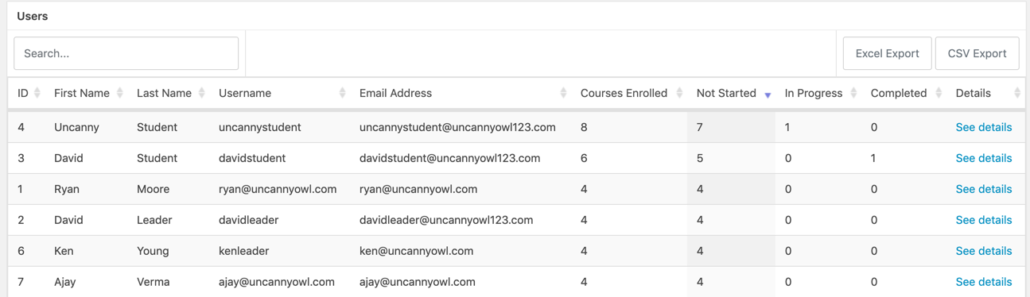

Table of users with IDs, names, usernames, emails, and course progress; each row has a See details link and export buttons nearby

Tin Canny 3.6: Microlearning for LearnDash xAPI & SCORM courses

It’s time for a new Tin Canny update! Version 3.6 adds support for microlearning using Single Page LearnDash courses, more flexible user details in reports, new column sorting options, a more visible X icon for modules in a lightbox and more. Single page xAPI & SCORM LearnDash courses Today’s Tin

LearnDash Developer Program

Toolkit Pro 3.7: Usermeta in reports, transcript changes and more

We try to avoid Friday releases where we can, but with the upcoming holiday weekend in Canada and some exciting changes from LearnDash, we couldn’t wait to get version 3.7 of the Uncanny Toolkit Pro plugin out. It’s a big release with several really compelling new features. Group Drip notification

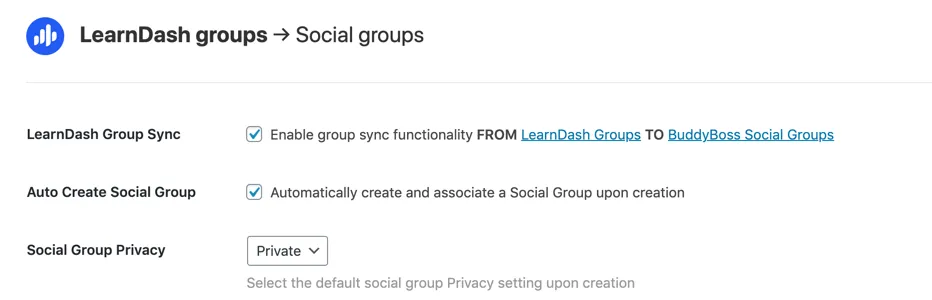
LearnDash Groups settings: Group Sync from LearnDash Groups to BuddyBoss Social Groups, with Auto Create Social Group and Private privacy option

Uncanny Groups for LearnDash 3.9 Update

The version 3.9 update of the Uncanny Groups for LearnDash plugin includes some interesting updates that may really transform how the tool is used by some customers. Given the magnitude of the changes, this is also one that we recommend testing on a Staging site first. Let’s jump right in

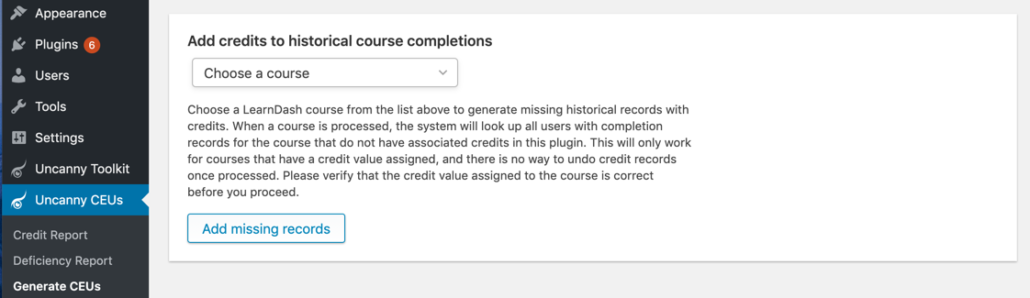
Admin panel: Add credits to historical course completions with a 'Choose a course' dropdown, explanatory text, and an 'Add missing records' button.

Award historical credits for LearnDash courses

Our Uncanny Continuing Education Credits plugin has historically been our least popular plugin and not nearly as capable as some continuing education providers would like. Organizations in this space tend to have very specific requirements and outgrow general-purpose solutions quickly. With the 2 most recent updates to the plugin, however,

Bearded man with glasses and white earbuds waving at a computer screen during a video call in a bright office environment.

Single Page LearnDash Courses now available

LearnDash course structures have always been very straightforward and rigid, which did limit flexibility but also made building courses more consistent. Courses must have lessons, and lessons can optionally have topics. The 3-level hierarchy evolved a bit when LearnDash added sections to organize things, but progress was always based around

Person typing on a laptop with a login screen showing Username and password fields and a green Login button on a desk setup.

Front End Login Changes in Toolkit

We’re excited to announce that today’s Uncanny Toolkit for LearnDash release includes some pretty big Front End Login changes (and we wanted to beat the upcoming Toolkit Pro and Automator 2.10 that announcements that will steal the thunder!). The Front End Login module has gotten increasingly capable, to the point

Actions panel to award custom credits to a user, with a date field and a Live toggle on the right.

Award CEU credits for anything!

Today’s 3.1 release of the Uncanny Continuing Education Credits plugin is probably our biggest change to that plugin in the past year. It adds a number of changes based around this concept: credits can be awarded for anything. Yes, it is still a LearnDash plugin and does still require LearnDash.

Three abstract icons: an orange smiling blob on the left, a white circular add button with confetti in the center, and a stylized black-and-yellow eye on the right.

Uncanny Owl has joined the WPBeginner Growth Fund

We’re excited to announce that Uncanny Owl has joined the WPBeginner Growth Fund. This means that we’re partnering with Syed Balkhi, founder of WPBeginner and co-founder of popular WordPress plugins including OptinMonster, MonsterInsights, WPForms and more. It also means that Uncanny Owl is now part of the Awesome Motive network

Colorful interlocking gears featuring tool icons, symbolizing software integrations and automation.

Top automation tools for WordPress

Most of us might cringe when we hear the words, “Do more with less.” However, there is some wisdom with doing more with what you have by being more efficient. For instance, let’s say you compose a standard email response to potential clients. After writing the same three paragraphs each

Dual monitors on a desk: left screen shows code, right screen displays a blue 'DATA' interface with folder and laptop icons and a Start button.

Intro to WordPress Staging Sites

You have a successful WordPress site. You’re happy because you got your site up and running quickly on a tight budget. Now, your website is the main source of your customers and sales. As your business grows, so does your need for more functionality and plugins. A few times a

Three white group icons on green, orange, and purple panels representing a community or teams.

LearnDash 3.2 and Group Changes

The LearnDash LMS plugin for WordPress first introduced groups almost 7 years ago, back in version 1.4. Groups were a way to assign courses and track progress for a collection of students as a single unit. It also empowered a new type of user, called a Group Leader, to oversee

Scroll to Top