
Whether you’re building courses for your own audience or managing LearnDash sites for clients, the tools you rely on every day should keep getting better. Over the past year, we’ve shipped meaningful updates to both Uncanny Toolkit and Uncanny Toolkit Pro for LearnDash, from a completely refreshed admin experience and a modern login form designer to shareable learner transcripts and smarter CSV imports.
Here’s a look at what’s changed and how it helps you and your learners.
A Fresh Admin Experience
The first thing you’ll notice after updating is that the admin interface looks different — and that’s intentional. Both Toolkit and Toolkit Pro now share a redesigned, unified admin UI with updated Uncanny Owl branding. Settings pages are cleaner, navigation is more consistent, and everything feels more polished.
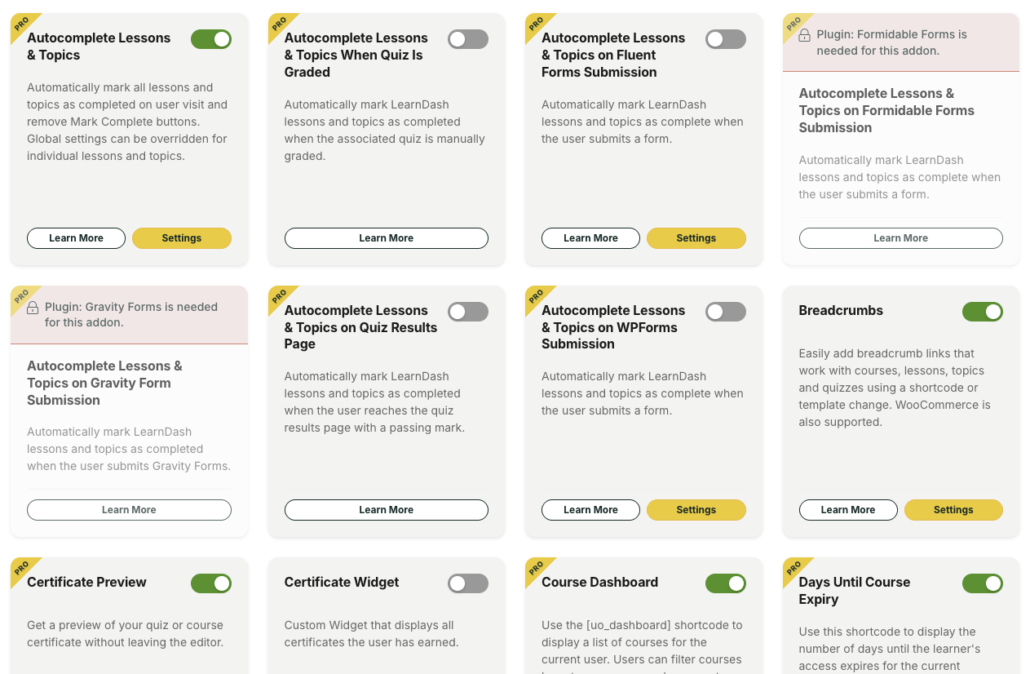
This isn’t just cosmetic; it’s part of a user interface overhaul for all of our plugins. A consistent interface across all Uncanny Owl plugins means less time figuring out where settings live and more time getting things done.
A Modern Login Form
The Front End Login module in Uncanny Toolkit has always been one of our most popular free features. It lets you replace the default WordPress login with something that actually fits your site. Now it’s even better.
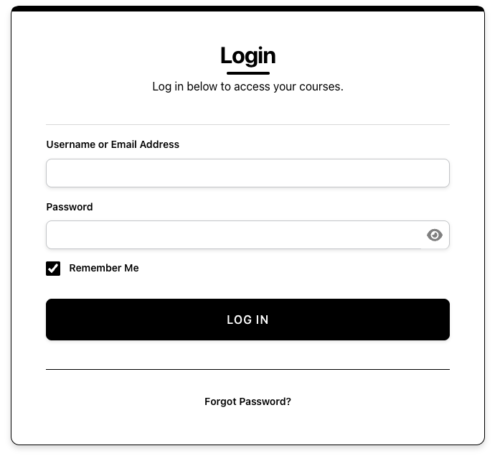
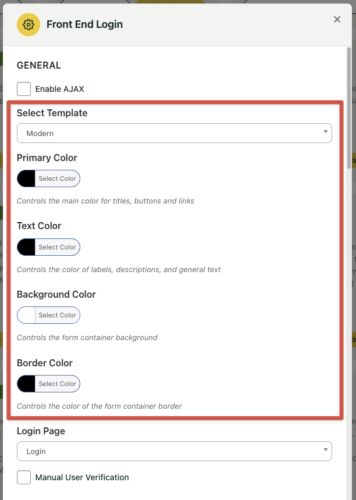
The new Modern theme gives you a redesigned login form with built-in color customization. Pick colors that match your brand, and the form handles the rest. No CSS overrides, no child theme edits — just choose your colors and publish.
We’ve also improved two-factor authentication compatibility with Melapress WP 2FA (two-factor authentication), switching to a REST API approach that’s more reliable and avoids conflicts. If you’ve been hesitant to add 2FA to your front-end login, now’s a great time to revisit it.
Shareable Learner Transcripts (Toolkit Pro)
This one has been a popular request. The Learner Transcript module in Toolkit Pro now supports public transcript access with shareable links. Your learners can generate a link to their transcript and share it with an employer, a licensing board, or on LinkedIn with a single click using the Share button.
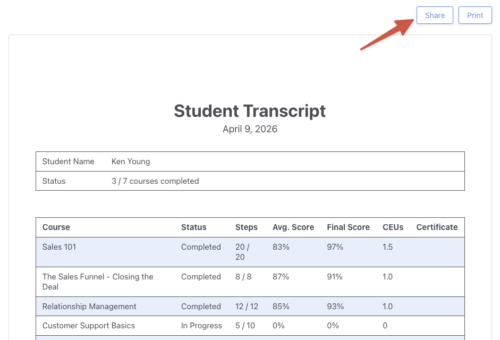
For organizations running certification or compliance training, this is a practical way for learners to prove course completion without requiring admin involvement. For course creators, it adds real marketing value: learners can showcase what they’ve accomplished.
Smarter CSV Imports (Toolkit Pro)
If you’ve ever imported users via CSV and hit formatting issues because your spreadsheet tool exported with semicolons instead of commas, you’ll appreciate this update. The Import Users module now supports multiple delimiters: comma, semicolon, tab, and pipe with automatic detection.
Upload your CSV and Toolkit Pro figures out the format. No more reformatting files or troubleshooting failed imports.
Simple Course Timer: Logout and Redirect on Expiry (Toolkit Pro)
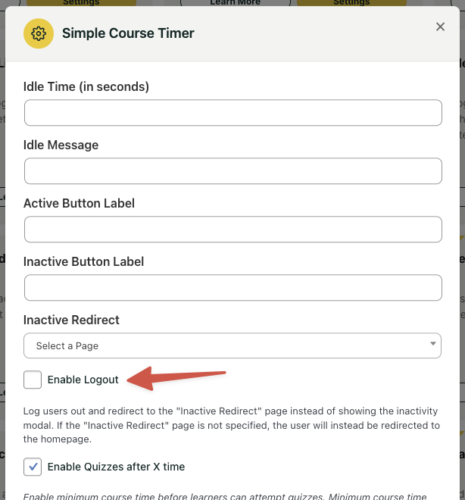
The Simple Course Timer module now includes the option to automatically log out learners and redirect them when their timer expires. This is particularly useful for timed assessments, proctored exams, or any scenario where you need to enforce strict time limits and ensure learners can’t continue working after time is up.
Under the Hood: Developer Improvements
For developers building custom LearnDash solutions, we’ve added several hooks and filters across both plugins:
login_formaction hook in the Front End Login templates making it easier to extend the login form with custom fields or integrationsuo_pro_transcript_cell_$keyfilter in the Transcript module lets you make course titles linkable or customize individual transcript cells- Group Registration action hooks for adding custom fields to signup forms
- WordPress 6.8+ compatibility improvements across Toolkit Pro
Bug Fixes and Stability
Every release also includes fixes that make the plugins more reliable:
- Front End Login password fields now work correctly on iPhone
- Autocomplete Lessons and Topics handles completion processing more reliably
- Course Dashboard category IDs work properly in the Gutenberg block
- Email Course Certificates uses dynamic paths instead of hardcoded ones
- Gravity Forms integration hook priority conflicts resolved
- Various PHP warning and deprecation fixes
Try It Out
All of these updates are available now. If you’re already running Uncanny Toolkit or Toolkit Pro, update to the latest version to get everything listed above. If you’re using the free Toolkit and want access to shareable transcripts, smarter imports, and the course timer check out Toolkit Pro or grab the All Access Pass to get our full plugin suite at the best value.
Have questions about any of these features? Our knowledge base has detailed documentation, and our support team is always happy to help.