It seems like a simple scenario: Staff need to complete the same courses every year and those completions need to be tracked. Yet, if you deliver your elearning programs with WordPress, you probably know how difficult this is to achieve. Here’s where things with a WordPress-based LMS start to break down:
- WordPress LMS plugins don’t track historical completions. Once a learner completes the course once, that’s it. They can’t trigger a second completion.
- If you reset course progress, it resets everything. That’s probably why plugins make it difficult or impossible to reset progress.
With the help of some addon plugins, however, it is absolutely possible to use WordPress as a platform to deliver annual compliance training. This article outlines how you can do it with the popular LearnDash LMS plugin for WordPress.
Create a Permanent Record of Course Completions
This is really the most important step. If you can’t track historical completions, you can’t offer annual compliance programs. Fortunately, one of our commercial LearnDash plugins makes this easy.
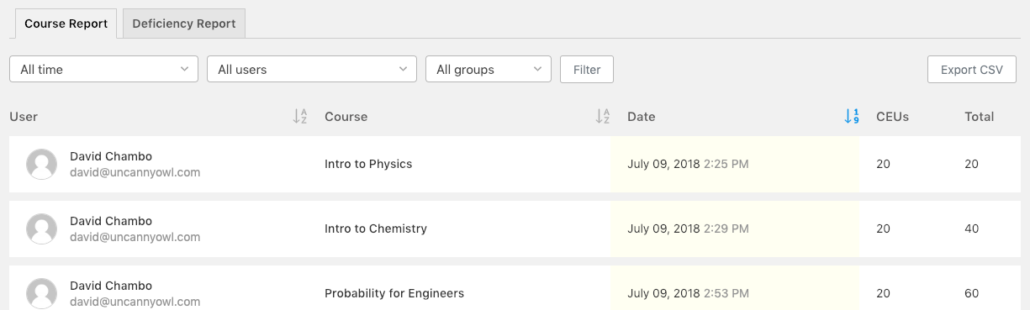
The Uncanny Continuing Education Credits plugin automatically creates a permanent record of completions as users finish courses. Don’t let the name fool you; the plugin does far more than award credits for completing courses. And, for our scenario here, we don’t even need to consider the credit or certificate features included with the plugin. We just need to use it for the permanent record, so ignore the CEU and Total columns.

The records in the table above are not pulling data from LearnDash, but rather the permanent course archive that the plugin captures automatically. As soon as the plugin is installed it records all new completions to the permanent record, so you never need to worry about progress resets or LearnDash changes affecting historical records.
Reset Course Progress
Now that you’re storing a permanent record of course completions, you need a way to reset user progress in courses so that they can retake them. After all, you don’t want to have to clone out a course each year and re-enroll students in the new one just so they can complete it again.
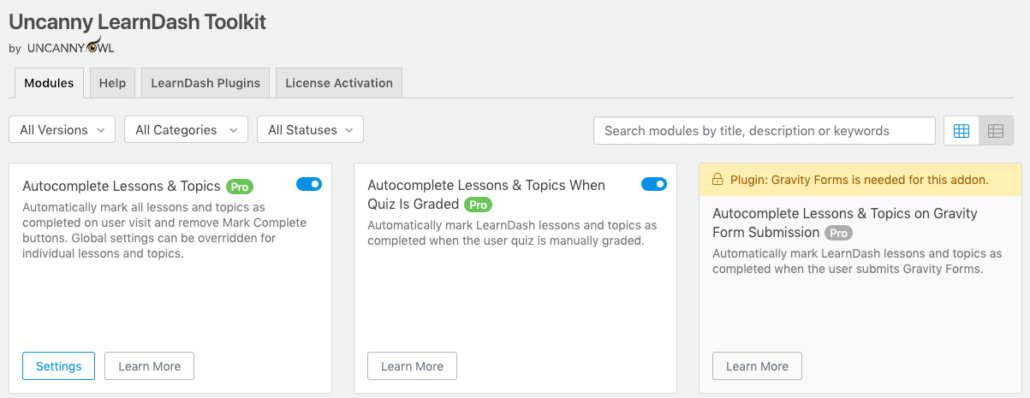
One very simple option here is to use the Uncanny LearnDash Toolkit Pro plugin, with its Reset Button module, to allow users to reset their own progress and take the course again. Once it’s turned on, just drop the [uo_reset_course_progress] shortcode onto any course page where users need to reset progress. The button that it adds will allow users to retake the course and wipe out their previous progress (which is why it’s so important to have the historical record in place).
Another option here is our Uncanny Automator plugin. With it, you can create “triggers” that reset progress for a course. An easy Automator recipe here would be to set up a recipe that resets a user progress in a course as soon as they complete it. This is what the recipe might look like:

If you’re a developer, you can even build your own workflows for resetting progress that better match your context. The Reset Button module mentioned above as part of Pro includes some tools that make it possible to incorporate our reset functions into your own code. More information is available in the Knowledge Base article.
Other Options for Compliance Tracking
The solutions above require the use of 2 to 3 paid plugins, but there are possible workarounds that can be used with a bit more work. If you use a CRM and a tool like WP Fusion, you could potentially use Tags to track completion records instead of our Continuing Education Unit plugin. On an annual basis, what you could do is change completion tags in your courses so that it identified the course and year. In other words, maybe on completion of a course called “Physics” you set a tag of “Completed Physics – 2019”. You could then filter on the CRM side to show only users with that tag to see who was assigned that tag. You will still of course need some way to reset course progress, and for that options are more limited.
By adding plugins to your LearnDash site like the ones mentioned above, it is very possible to offer annual compliance programs on your site that keep historical records and do allow users to retake the courses every year.
If you have your own solution for offering annual compliance training that’s different than what’s outlined above, let us know your solution in the comments!