
The best plugins to pair with LearnDash in 2026, covering quizzes, automation, ecommerce, reporting, CRM sync, and more.
LearnDash 5.0 shipped earlier this year and delivered some interesting changes behind the scenes, but it didn’t change a lot for end users or introduce any must-have features. It’s still a solid LMS platform, but what’s most interesting isn’t what’s happening in the core product, but what’s happening around it.
Some of the most powerful and meaningful additions to LearnDash are coming from third-party developers. These are plugins built on top of LearnDash to do the heavy lifting for everything from assessment and reporting to ecommerce and automation. This post covers the top ten plugins that we recommend for anyone building or leveling up a LearnDash site in 2026. Some are absolute essentials for every LearnDash site, while others have a more niche audience but offer tremendous value.
Uncanny Toolkit For LearnDash
Since our team first introduced it 10 years ago, the Uncanny Toolkit for LearnDash has been a staple on new LearnDash sites. The free version has over 20,000 active installs and a 4.8 / 5 rating on WordPress.org, and the premium version has been one of the top paid plugins for LearnDash since its introduction. Combined, they add almost 50 new features to LearnDash sites, including a course timer, autocomplete support, email support for course and quiz certificates, user import, a course dashboard, and more.
Uncanny Automator
Automator is the plugin that turns the rest of the list from a collection of independent plugins into a unified stack. More than 50,000 sites use the free version, and Automator connects hundreds of plugins and apps to LearnDash.
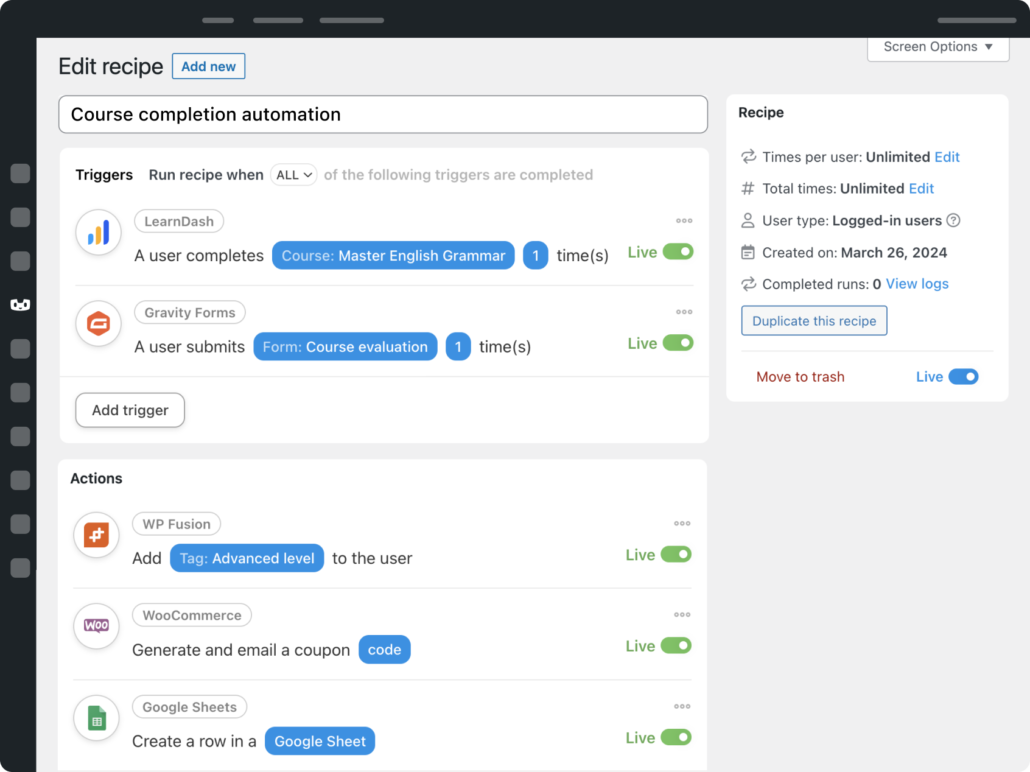
For LearnDash specifically, Uncanny Automator has the deepest integration of any automation tool (and it should, given our history with LearnDash plugins). With over 40 triggers and actions, every facet of the student experience can be linked to automated workflows, and the comprehensive set of actions let you do everything from enroll students in courses to awarding credits and resetting progress.
Woo
Woo (a.k.a. WooCommerce) is the most-installed ecommerce plugin for WordPress, and while there are ecommerce options you can use with LearnDash (especially through Uncanny Automator), WooCommerce remains the most popular. It has a huge ecosystem of add-ons to support almost any scenario imaginable, and LearnDash offers a native integration at no extra cost.
LearnDash sites use Woo instead of the LearnDash native billing system because it offers a lot of must-have extra features, including tax support, additional payment gateways, bundles, and more. It also allows the use of other plugins that can complement LearnDash sites, like Uncanny Groups for LearnDash, which allows selling LearnDash groups and seats for organizations.
PressPrimer Quiz
One of the most interesting new plugins in the LearnDash space this year is PressPrimer Quiz, a free quiz plugin built by one of Uncanny Owl’s co-founders. The free version covers more than what most paid quiz plugins offer, from AI question generation and anti-cheat protections to multiple scoring models and save-and-resume across devices. Its premium add-ons offer what’s been missing from native LearnDash quizzes, including pre/post-test analysis, question analytics, branching logic, spaced repetition, xAPI support, curve grading, proctoring, and over a dozen reports. More than another basic quiz tool that just outputs a score, it helps students learn and retain information using learning science principles.
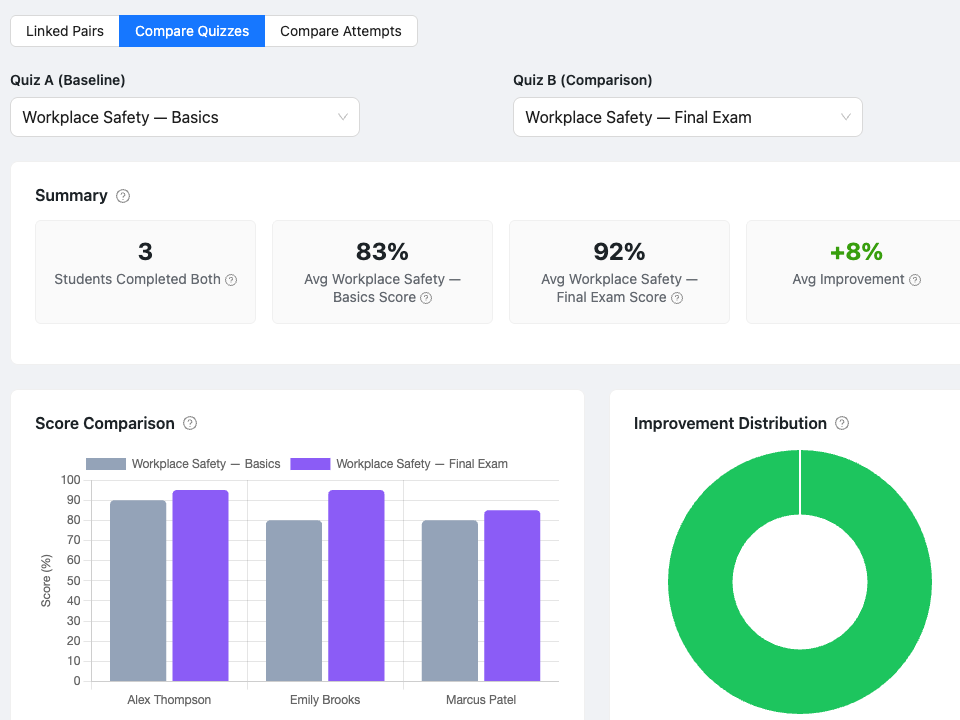
It’s also fully integrated with LearnDash, and its LearnDash quiz import tool makes it easy to switch from LearnDash quizzes to PressPrimer.
Tin Canny Report for LearnDash
The Tin Canny Reporting plugin is about a lot more than LearnDash analytics; it also bundles a SCORM and xAPI content uploader, a native Learning Record Store (LRS) for WordPress, and a suite of LearnDash reporting tools. For organizations that author SCORM and xAPI packages from products like Articulate Storyline and Adobe Captivate, no tool is more convenient for enabling LearnDash integration than Tin Canny. Beyond supporting portable elearning modules from popular authoring tools, Tin Canny includes front and back-end reports for LearnDash course and user records, as well as other useful reports for LearnDash quiz question quality, lesson completion, and topic completion.
BuddyBoss
For any LearnDash site that needs community features (including discussions, social feeds, member profiles, and more), BuddyBoss has been the standard for almost a decade. The complete stack is four pieces: a free BuddyBoss Platform plugin, a Pro plugin, a theme, and a white-labeled mobile app. While it’s one of the most expensive add-ons on this list (starting at $299 for the theme and Pro plugin only), it offers substantial value for sites where community engagement is important.
Gravity Forms
Gravity Forms is the standard form builder we use on sites, and has our deepest integrations, but there are a variety of form builders we strongly recommend on LearnDash sites. WPForms and Formidable Forms are also great options and integrate well with LearnDash, particularly when used in combination with Uncanny Toolkit Pro for LearnDash. If you’re wondering why a good form plugin is important on LearnDash sites, here are a few use cases:
- Login and registration forms
- Course surveys
- Student file uploads
- Simple ecommerce purchases
WP Fusion
The moment a LearnDash site needs to sync with a CRM (including ActiveCampaign, Hubspot, Keap, Salesforce, and more), WP Fusion is typically the answer. Uncanny Automator can handle simple CRM use cases and complements WP Fusion well, but WP Fusion has deeper bidirectional sync, controls inside LearnDash post types for tighter tag and list controls, and full event tracking. While there is sometimes some overlap in their basic functions, we see the plugins as complementary, not competitive, and WP Fusion and Automator together make a powerful combination.
Presto Player
Many LearnDash sites offer video lessons, and most of those just embed YouTube or Vimeo videos as iframes. That means students see other recommended videos between lessons, there’s no link between video activity and course progress tracking, and the branding is all wrong. Presto Player fixes these problems, offering full LearnDash integration, save-position resume, full branding, support for other platforms like Bunny.net, and even self-hosted video. There’s a free plugin to get started, which currently has over 100,000 active installs.
PressPrimer Assignment
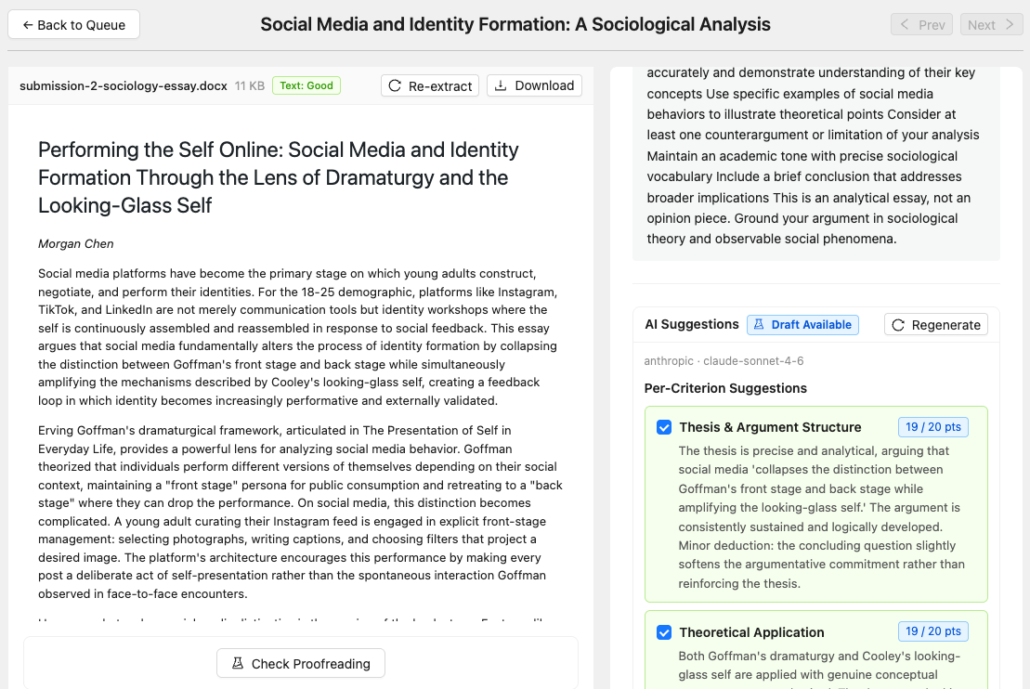
Rounding out the top 10 list is PressPrimer Assignment, the only LearnDash add-on dedicated to essay and file-based assessment for LearnDash. Where LearnDash offers basic file uploads and no easy way for instructors to review or grade files, PressPrimer Assignment fills in the gaps and turns assignments into a viable system for learning and assessment inside LearnDash. The free version supports unlimited assignments via file upload or a native text editor, a side-by-side grading system for instructors (with inline viewers for PDF, Word, image, and other text files), and personalized feedback support. The premium add-ons include support for student groups and assignments, inline annotations, AI-assisted grading and proofreading, plagiarism detection, and more.
Building Your LearnDash Stack
This post covers 10 of the best plugins for LearnDash in 2026. None are required, but including them on your LearnDash site can turn a basic courseware site into something that feels really professional and comprehensive. What’s also worth noting is how many of these plugins (eight of the ten) offer free versions, most of which are extremely capable on their own. You can start improving your WordPress site in minutes—without spending a penny.
If you’re new to LearnDash, we recommend starting with the Uncanny Toolkit, then give the other plugins a try as you identify gaps and need to improve your platform. Once you start building out your stack, you’ll find the individual pieces a lot more valuable when you start connecting them together. Everything recommended above connects seamlessly with Uncanny Automator, helping you build out powerful workflows for your LearnDash website.
Happy building!